A visual library that lives on your Mac.
For art directors, designers, and everyone else.
Save what you see.
Snip anything on screen, or drop files in from Finder. The browser extension saves images, pages, and X bookmarks.

Every save keeps its colours, its source, and its tags
Search how you think.
Type what you remember, or pick a colour. Conocle looks at every save and tags it for you, on your Mac.
Group what belongs together.
Drop what fits into a collection. One image can live in as many as you like.
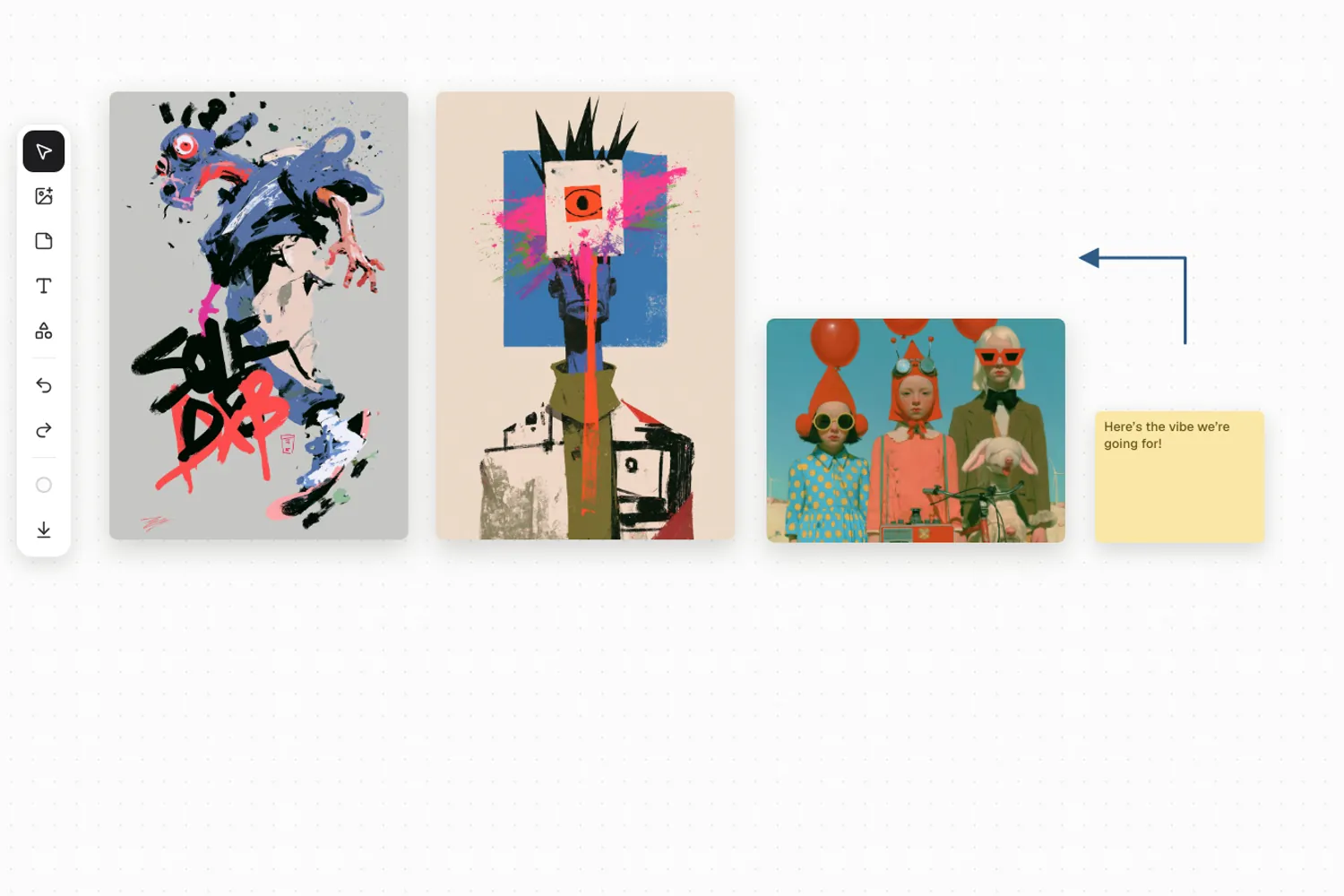
Build the board.
Arrange your references, then mark them up with arrows and notes. Present goes full screen, straight from the board.
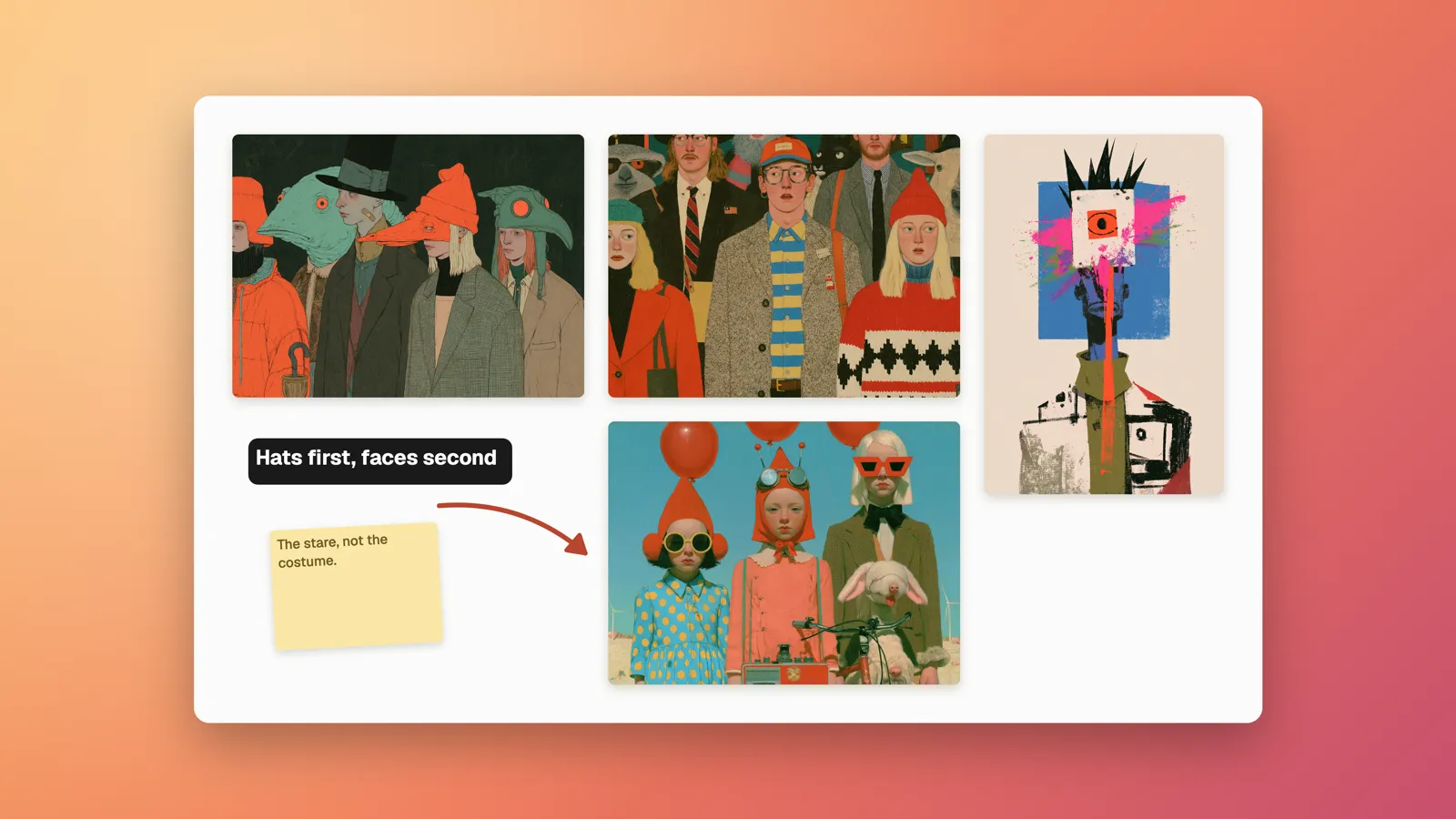
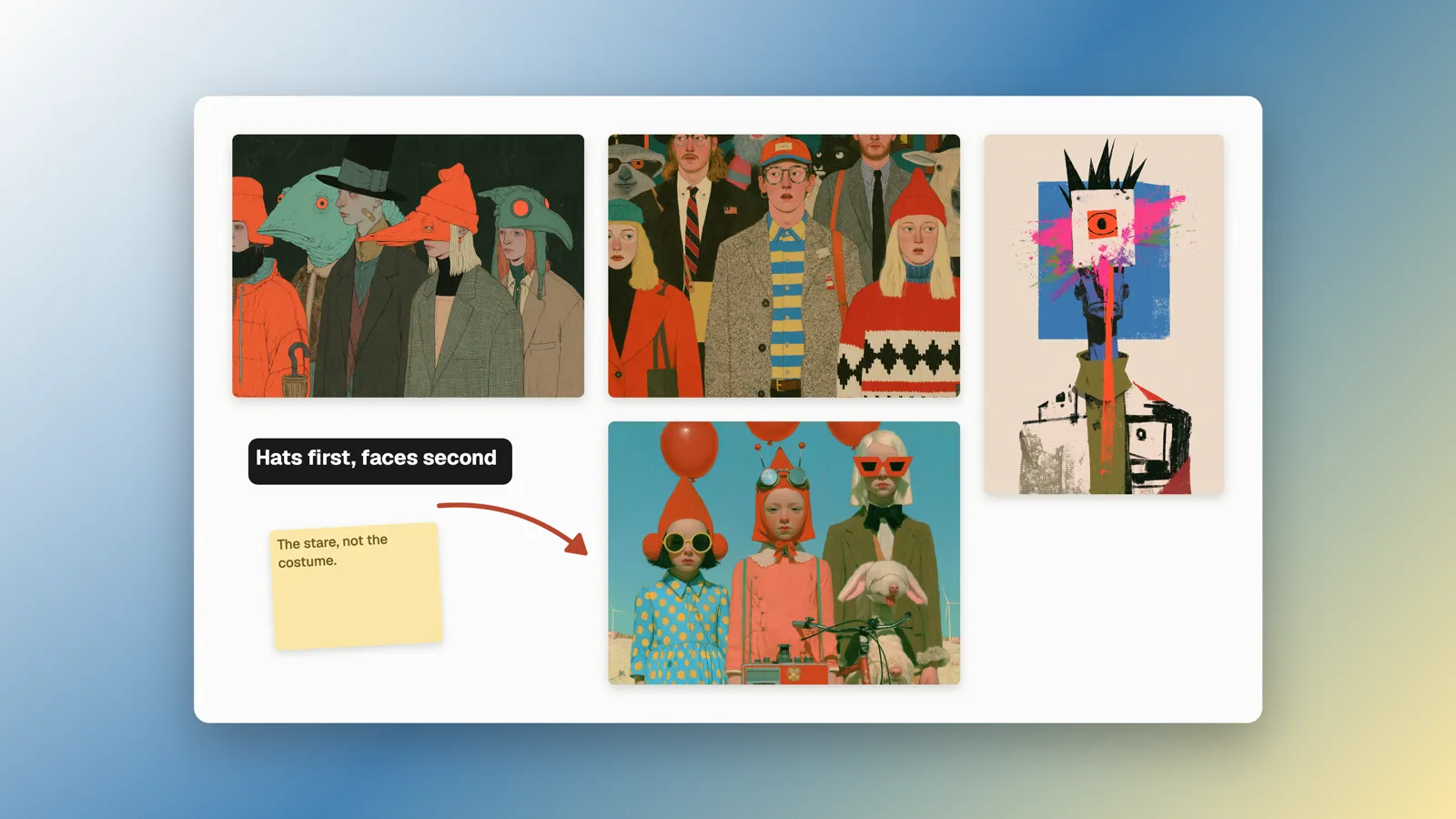
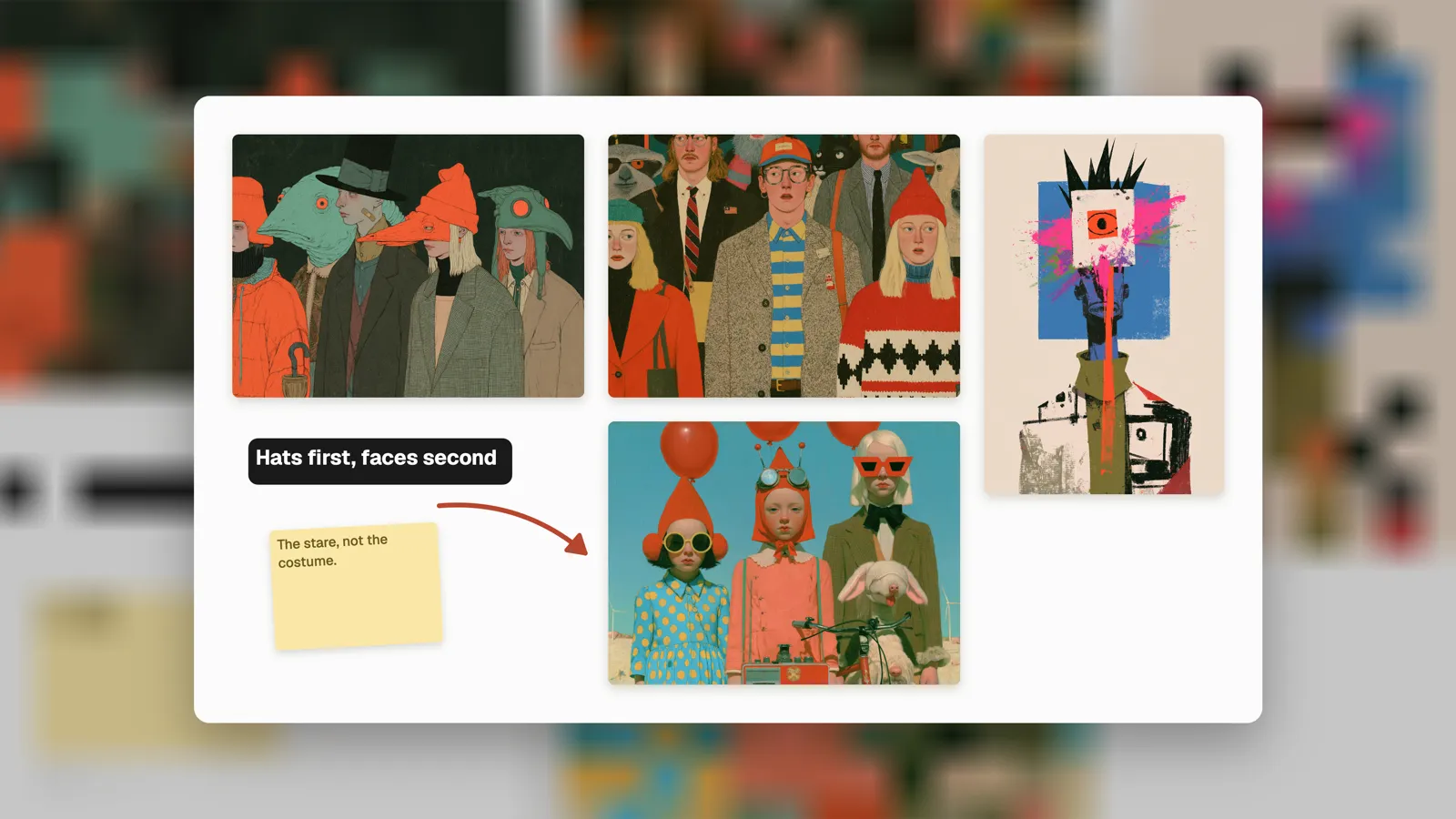
Dressed for the deck.
Frame a board on a gradient, its own colours, or its own blur. Copy it straight into Keynote, Slides, or Figma.
See it in action.
Nothing leaves your Mac.
Searching and tagging run on your Mac, not on a server. Your images live in a folder on your Mac, not in someone's cloud.



Get the beta.
Free during beta, and early testers keep a founders' price.
Apple silicon · macOS 13+
We’ll email you a link to open on your Mac.Conocle is a Mac app. Email yourself the link.
Check your inbox.
Confirm the email we sent to you. Then a second email brings the link to open on your Mac.
Nothing there? Check spam, or write to beta@conocle.com.
Plus rare app news. Unsubscribe any time.
FAQ
What does it cost?
Free during the beta, everything included. When Conocle goes paid, beta testers get a founders' price. Either way, your library is never held hostage. Viewing and exporting what you've already saved will not be paywalled.
Do I need an account?
No. Download it, open it, and start saving. Your library lives on your Mac, not behind a login.
Where is my data?
In a folder on your Mac. The database, every image, every board. The app talks to the internet for four things: fetching pages you ask it to save, checking for updates, fetching the current beta question, and, once, checking your email code for the beta pass. Feedback is sent only when you type an answer and press Send.
What can I save?
Anything on your screen, with ⌘⇧7, or the whole display from the menu bar. Images and pages from your browser, with the Conocle extension for Chrome, Arc, Brave, and Edge, which keeps the full-quality original and a link back to the source. Posts you bookmark on X. Files dropped from Finder, and whole folders imported in one go. Images (including SVG logos and transparent PNGs) and video files.
Can I put a board in a deck?
Yes. Export a board or an image as a PNG or PDF, on its own or framed as a slide (16:9, 4:3, or square), or copy it straight to the clipboard and paste it into Keynote, PowerPoint, Figma, or Slides.
Why does it ask for screen recording permission?
macOS asks once, the first time you snip. It is the permission that lets Conocle see the part of the screen you drag over. Nothing is recorded, and nothing is sent anywhere.
How do updates work?
The app updates itself and tells you what changed. You can also check from Settings, then About. Every release is signed and notarized with Apple, and your library is untouched by updates. It lives outside the app.
What Macs does it run on?
Apple silicon (M1 and newer), macOS 13+. Intel support isn't there yet. Tell us if you need it and it moves up the list.